

How Do I Access the File Downloads for My Course?
Each course contains a File Downloads Zip file with important files and documents required to complete it. You must download and unzip the file before beginning the course.
To unzip in Windows, do the following:
-
Download the File Downloads.zip file
-
Locate it and right-click, then select Extract All. This will create a new folder with the same name.
-
Copy the new folder to a location where it is easy to access. We recommend your C Drive or your Desktop.
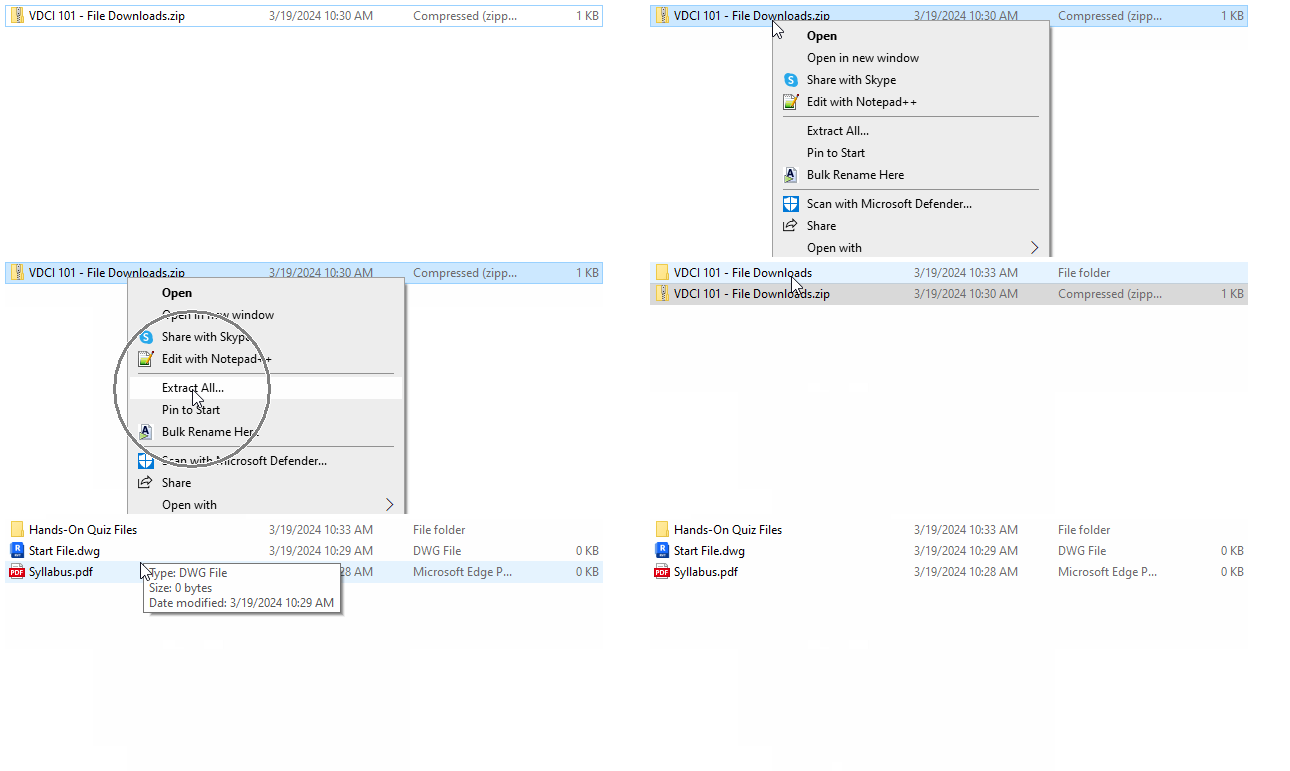
Alternatively, you can double-click the zip file to open it and then drag the folder to your desired location.